
How do I access or claim my organization’s Pulse profile?
Start by searching for the name of your organization. You can search using the company name or perform an advanced search using the address, license information, NCPDP number, etc.
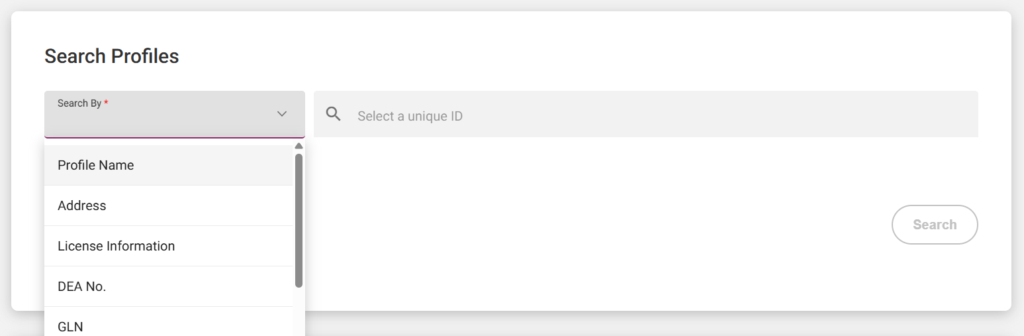
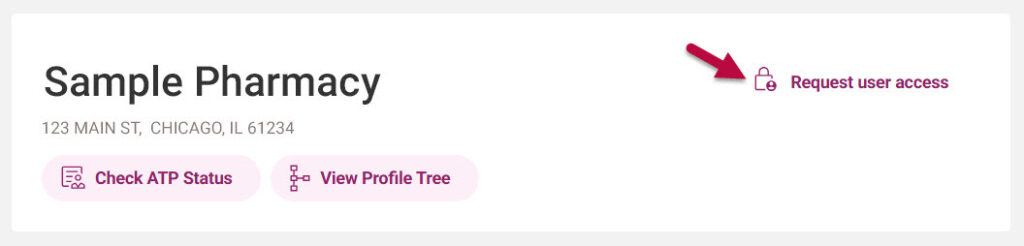
After clicking on the correct result, select the “Request User Access” button in the upper right-hand corner.
You will be prompted to answer a few questions.
- If you have received a letter in the mail with an activation key, enter the key along with the requested information to access the profile.
- If you have not yet received a letter in the mail with an activation key, you can request one be mailed to the address associated with the profile’s resident state license.
- If someone else already claimed the profile, you can request access from the profile owner within Pulse. Select the “request user access” button in the upper right side of the profile page to request access from the profile owner.
If you have multiple locations, make sure you claim profiles for all facilities.